ABBYY or EPUBTurn for research PDFs: choose the reading workflow
ABBYY’s documented Mac edition can export EPUB directly. Compare the need for desktop recognition and correction with a reading-focused EPUBTurn sample from your paper.
On this page
- Start with the edition you would actually use
- What the EPUBTurn review required
- Compare the documented workflow
- What the reviewed reading copy shows
- A real paper tests more than recognised words
- What the panels show and what remains untested
- Choose correction control or a direct reading sample
- Source and scope
Start with the edition you would actually use
ABBYY’s official FineReader PDF for Mac documentation lists EPUB and FB2 export. An intermediate Word document is therefore not automatically necessary for that edition. Check your installed edition and its recognition settings before paying for software or planning extra conversion steps.
If you need a comfortable reading copy rather than a document editing project, EPUBTurn offers another route: upload a permitted PDF and inspect the included reading sample. Choose the workflow that answers your task, rather than assuming a desktop application or a cloud service is always better.
What the EPUBTurn review required
EPUBTurn’s initial export was blocked by a quality check on equation crops on page 7. Three rectangles were manually reviewed and corrected. The displayed EPUBTurn result includes that review; it is not an untouched default conversion.
The download comes from EPUBTurn’s existing EPUB exporter. The browser service still blocked export because its job status had not updated. We did not obtain a working browser download for this trial.
Compare the documented workflow
| Decision | ABBYY FineReader PDF for Mac | EPUBTurn |
|---|---|---|
| Route | The documented Mac edition includes direct EPUB export. | Upload a permitted PDF and inspect up to ten automatically selected sample pages. |
| Evidence | Not installed or run; no same-paper ABBYY output. | The labelled panels compare the published source with EPUBTurn, not with another provider. |
| Decision before paying | Confirm the chosen route and actual included content. | Read the included sample and confirm the required credits and checkout cost. |
What the reviewed reading copy shows
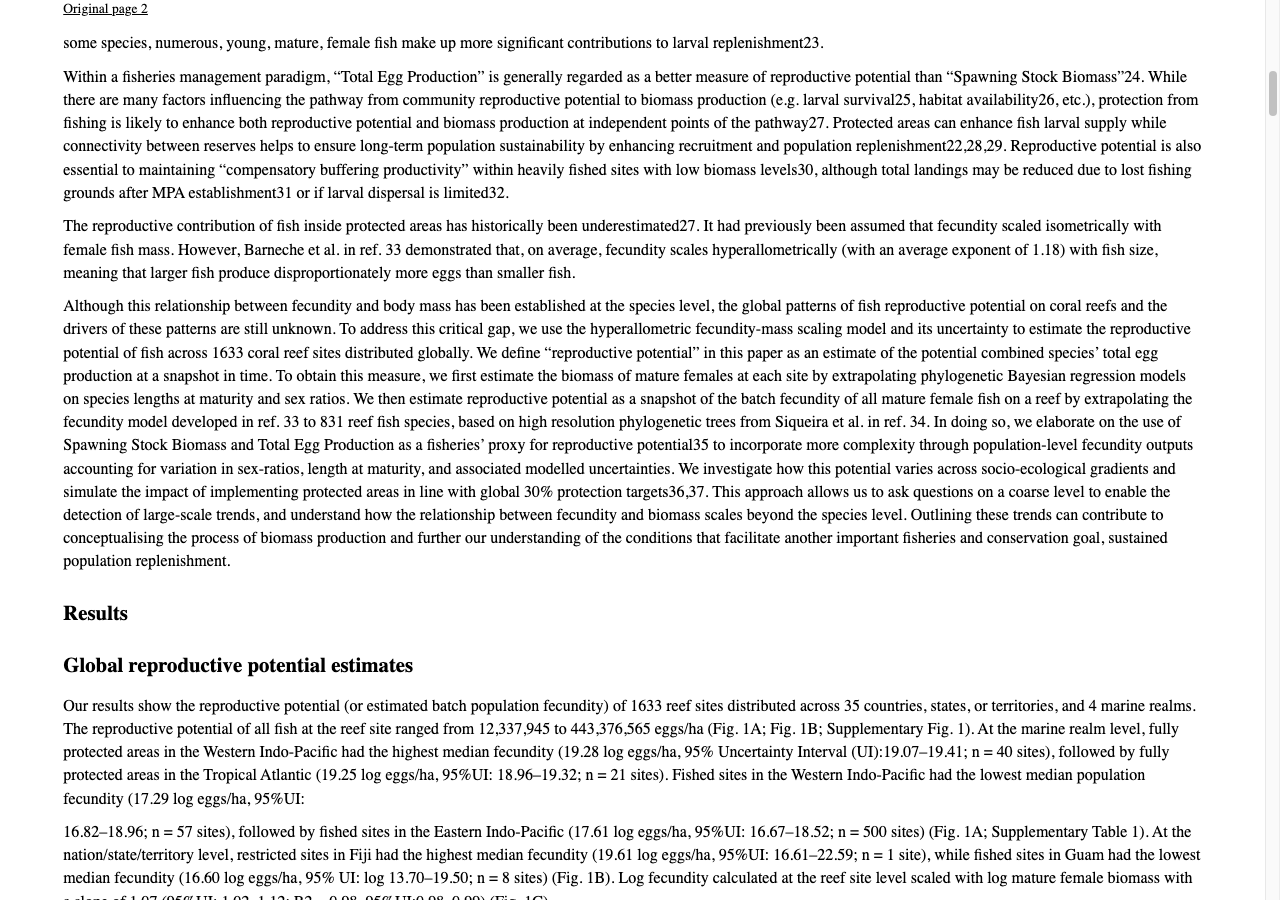
EPUBTurn’s reviewed export preserves the checked column sequence and the selected values with their population descriptions. The digital figure retains its three panels, although bottom axis labels and ticks in panels B and C are clipped. Those are reading observations, not a recognition-accuracy result or evidence about ABBYY’s untested output.
A real paper tests more than recognised words
Our input is a ten-page excerpt from a published Nature Communications coral reef fish study. The paper includes selectable digital text, dense columns and multi-panel figures. It is not a raster-only scan, so this comparison cannot establish OCR accuracy on photographed or faded pages.
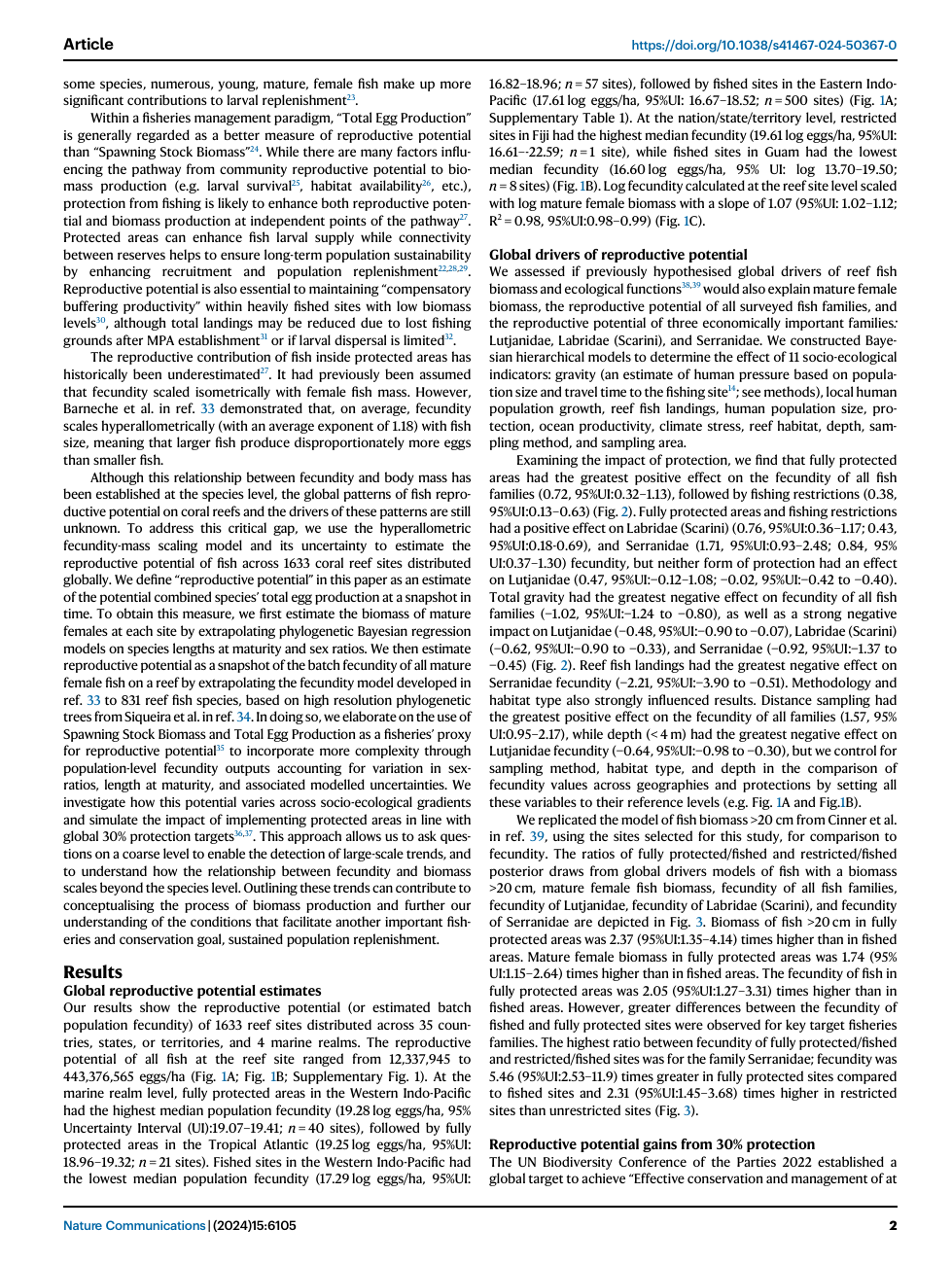
Page 2 gives a useful reading-order check. A results sentence continues across the two columns. Follow that transition and confirm that the reported range stays associated with the correct population. Recognition alone cannot fix a reader receiving the right words in the wrong sequence.
Source PDF
EPUBTurn
What the panels show and what remains untested
No ABBYY application was installed or run for this trial. We have no ABBYY EPUB from the same paper, and cannot rank its figure handling or text order against EPUBTurn. The pair below is Source PDF and EPUBTurn, with the raw files available for inspection.
An installed recognition tool can still be relevant when you need to correct a scanned source before export. Keep an automatic output separately from an edited version. Otherwise a comparison might credit conversion software for repairs that a person made afterwards.
Choose correction control or a direct reading sample
If your source needs recognition correction and you already use FineReader, investigate its documented EPUB route in your edition. If the PDF already has text but is awkward to read, a direct sample may answer the reading question with fewer intermediate documents.
Inspect a complete paragraph transition and a figure caption, not only a title page. Scientific plot labels can be tiny even when the illustration is retained. Keep the original PDF alongside the reading copy for close inspection of the published evidence.
Try your research PDF with EPUBTurn. Its up-to-ten-page automatic selection may omit material you care about, so verify sample coverage. Choose full conversion only after the included pages help your reading task; no result here establishes superiority over ABBYY recognition.
Source and scope
Hadj-Hammou et al. (2024), Global patterns and drivers of fish reproductive potential on coral reefs, Nature Communications 15:6105, https://doi.org/10.1038/s41467-024-50367-0. CC BY 4.0. Comparison input extracts original pages 1–10; final reference/license page 11 omitted. No content rewritten. Conversion and screenshot excerpts are adaptations.
Read the published article. CC BY 4.0 licence. The panels compare the source and EPUBTurn; they do not show an untested competing result.
Files used in this guide
Download the source files, conversion results or worksheets referenced here. Each label identifies the source document or the converter used.
Published paper: original pages 1–10EPUBTurn: reviewed published-paper EPUBSources and further reading
Related guides
- 7 PDF to EPUB converters on a real published research paper
- EPUBTurn and CloudConvert: compare a real research PDF
- Build a reproducible PDF to EPUB comparison record
- EPUBTurn and PDF24 Flow: compare a real research PDF
- EPUBTurn and Convertio: compare a real research PDF
- EPUBTurn and Zamzar: compare a real research PDF
- EPUBTurn vs PDF2EPUB: compare a published research paper
- EPUBTurn vs pdftoepub.app: check a complex paper before choosing
- EPUBTurn vs pdftoepub.org: compare the selected conversion mode
- EPUBTurn and pdf2ereader: compare a real research PDF
- Cisdem or EPUBTurn: compare the workflow for illustrated papers