PDF vs EPUB: which format is easier to read?
Choose PDF when the original page arrangement matters. Choose a readable EPUB when you want paragraphs to fit a smaller screen and text you can enlarge. For magazines and illustrated articles, EPUBTurn aims to combine adjustable text with the useful pictures, so you can spend more time reading and less time moving around the page.
On this page
- Decide what you want to preserve
- Compare the same published paragraph
- Illustrated articles need both words and pictures
- When keeping the PDF is the better choice
- Make the decision with a sample
- Check resizing independently of content accuracy
- One font increase changed the abstract’s wrapping
- Source and licence
- Compare fixed pages with selectable scan text
Decide what you want to preserve
A PDF keeps the page as a page. Columns, sidebars, photographs and printed page numbers have their original positions. That makes PDF useful when you need to check the original design, refer to a printed page or view a complex diagram in its full context.
On a small screen, those same positions can make reading tiring. Enlarging the page may show only part of a column. You then move around the page to finish the passage. The file is intact, but the reading experience is uncomfortable.
A reading EPUB lets ordinary text form new lines for the screen. The article's appearance changes with your chosen font size. The goal is to preserve the content and its order while allowing the page arrangement to change.
EPUBTurn offers a sample reading edition for PDFs you are allowed to upload; keep the original available for checking.
Compare the same published paragraph
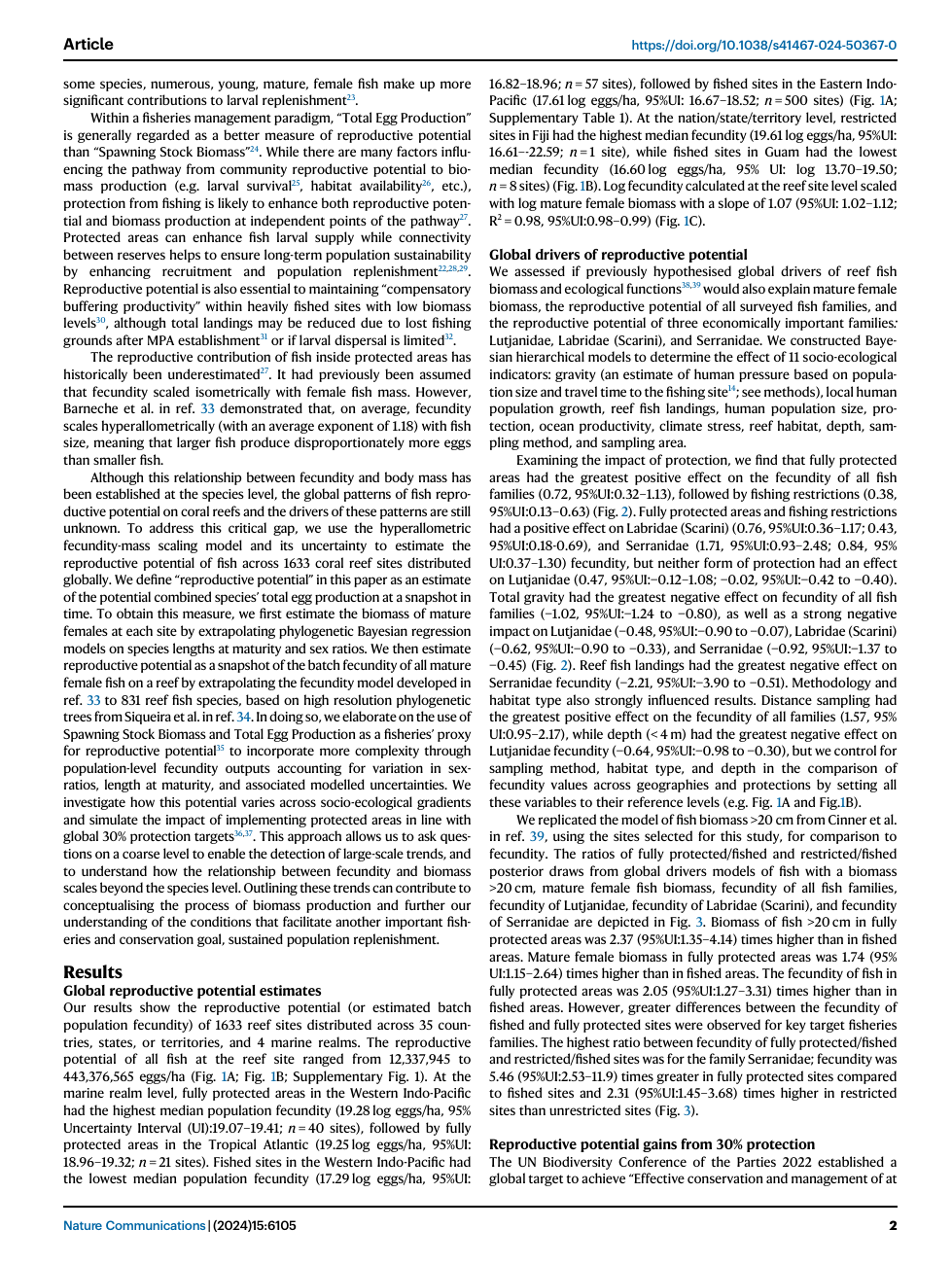
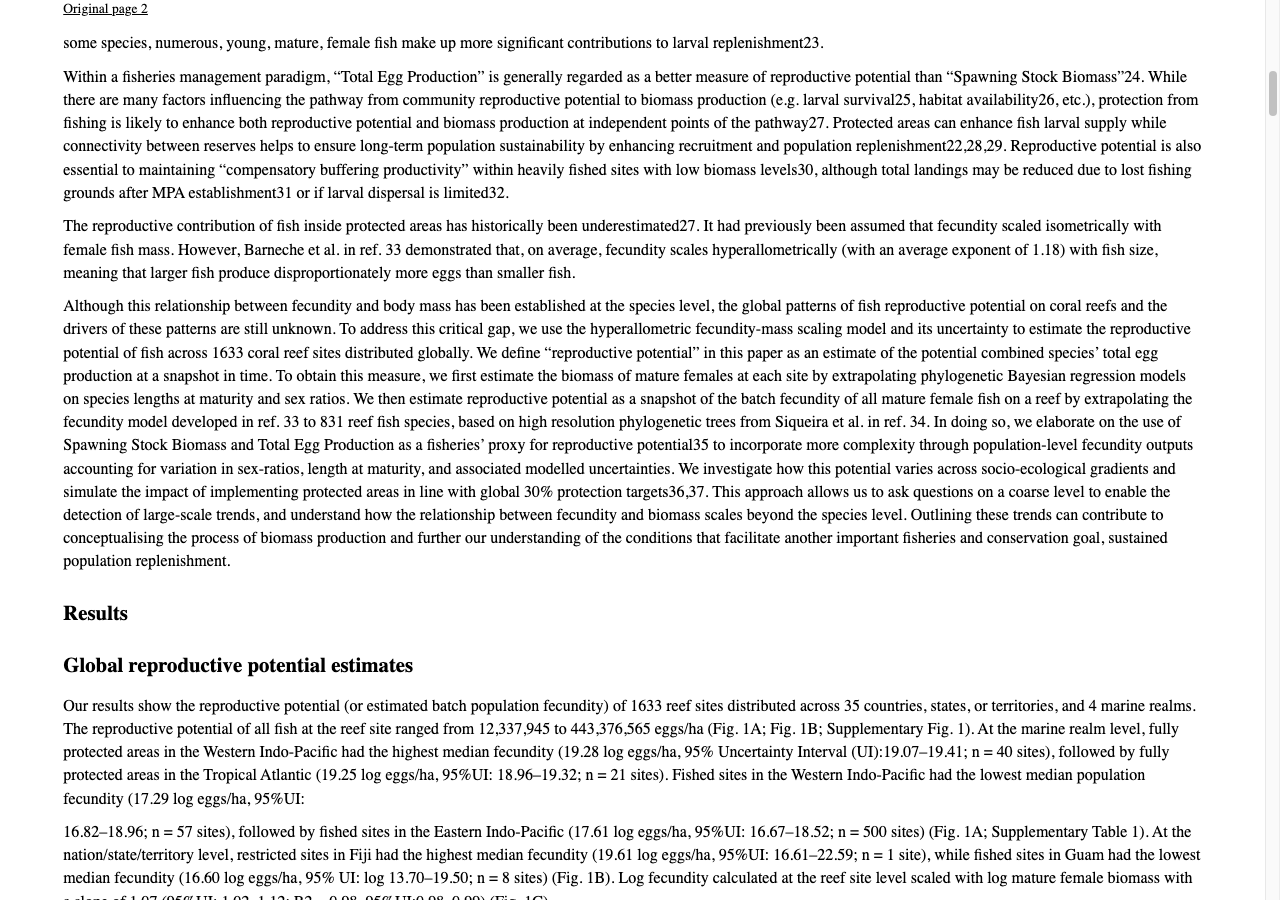
Open page two of the ten-page research PDF and identify a complete paragraph before switching to the saved EPUB. The PDF supplies the fixed page arrangement; the reading copy supplies a different layout. Follow the words, qualifications and numerical ranges in both.
Changing the font should move line endings without moving a number into another population’s sentence. The reviewed paper export retains the inspected associations. Its Figure 1 remains incomplete at the lower axes, so keep the PDF when interpreting the plot.
Published PDF
Reviewed EPUBTurn result
Illustrated articles need both words and pictures
A magazine is more than its body text. A chart, recipe photograph or diagram may carry information that cannot simply be dropped. Keeping every page as one image preserves its appearance but leaves the small-screen reading problem largely unchanged. Removing all images can make the text easier to resize while making the article less useful.
EPUBTurn is designed to reconstruct the reading flow and retain useful figures as images near their related text. That approach suits readers who want the article to feel readable without losing the explanation supplied by a picture. Try an illustrated PDF and inspect the sampled figures as well as the paragraphs.
When keeping the PDF is the better choice
Keep the PDF when exact positioning is central to your task: a design you need to inspect, a form with boxes to complete, or a dense table whose arrangement needs a large display. A bigger screen may be the simplest way to read those pages.
Keep the original when printed page references matter too. A reflowing article does not have the same screen pages as the printed document, because the reader's font and screen determine where the text breaks.
You can retain the PDF for reference and use EPUB for everyday reading. You do not need to choose one file forever.
Make the decision with a sample
The useful question is whether conversion improves the document you want to read. In an EPUBTurn sample, check a complete passage, enlarge the text and inspect a useful picture. If the source has columns, pay attention to the transition between them.
If those checks solve your reading problem, continue with the full document. If the article depends on an exact layout that remains difficult to interpret, keep the original available and choose the format that helps with the task.
Start with your own PDF rather than assume that every PDF or every EPUB will behave the same way.
Check resizing independently of content accuracy
A readable paragraph and a complete figure are separate questions. Increase the text size, read through the next paragraph and then open the figure. Compare the same locations in the source, not two unrelated screenshots.
The published-paper conversion report establishes checked passage order and a partial retained figure. A reader-specific resizing observation needs the exact application, version and saved EPUB; do not infer a device result from a browser screenshot.
One font increase changed the abstract’s wrapping
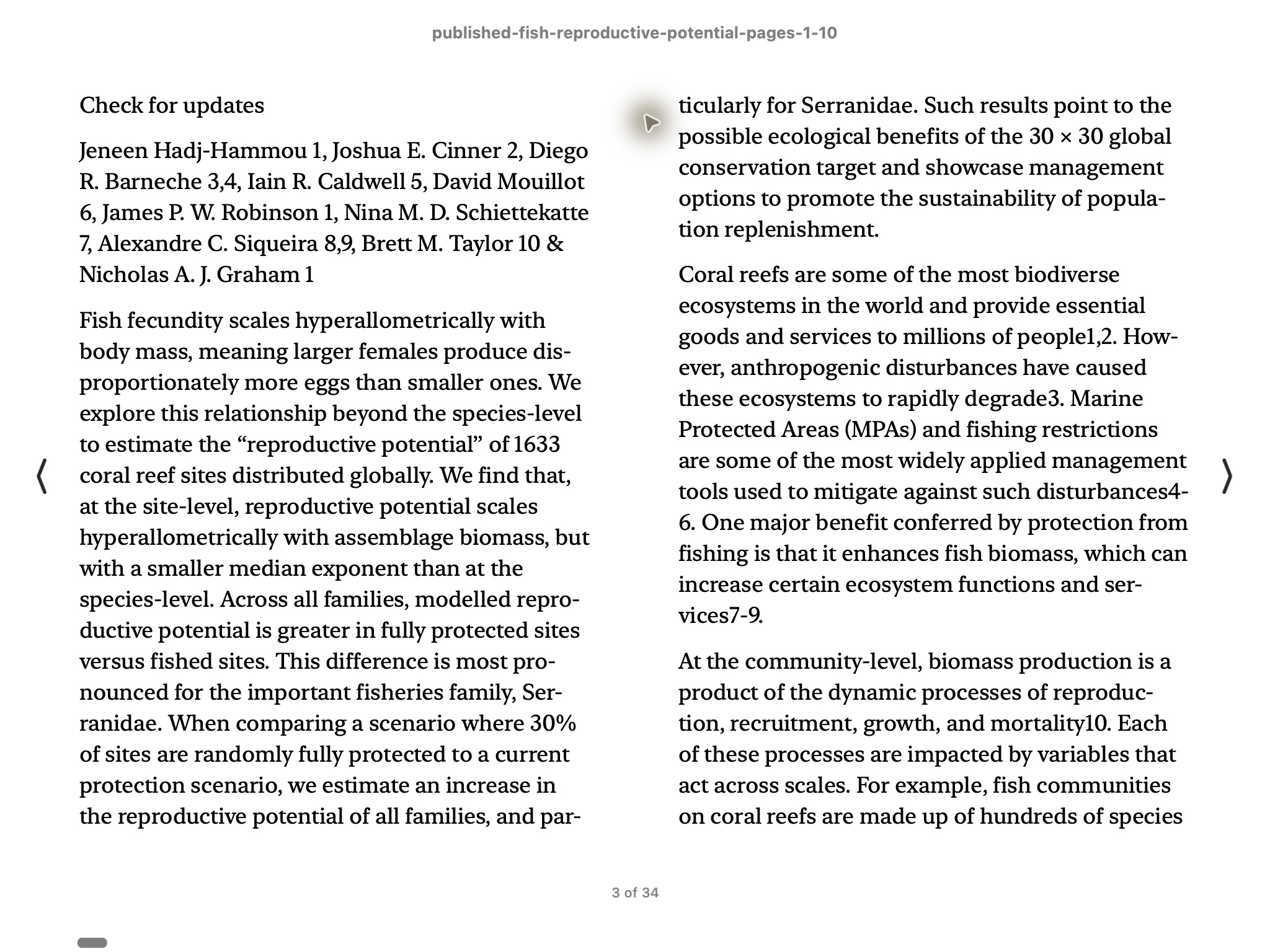
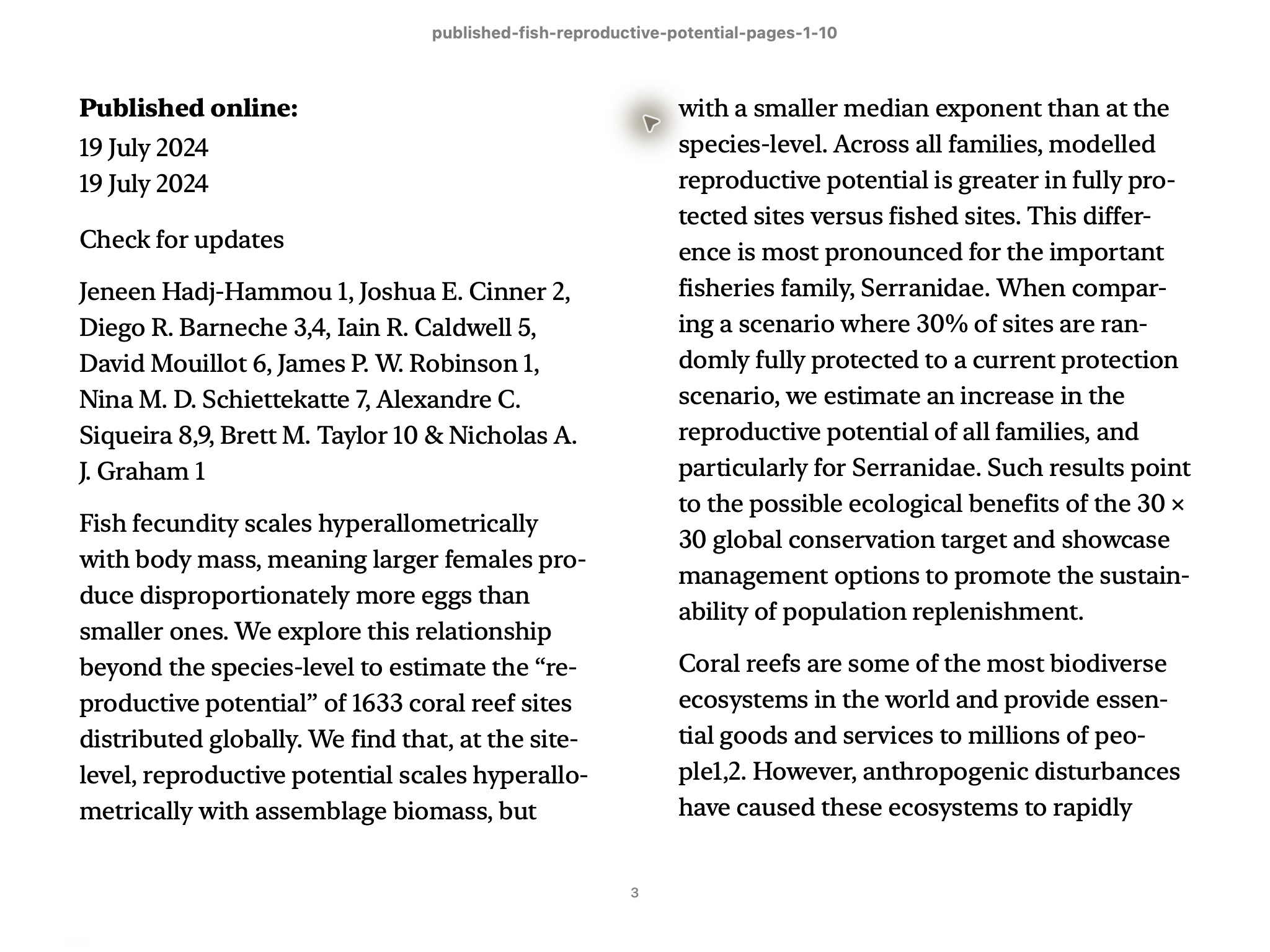
In Apple Books on Mac, one View > Increase Font Size action changed the abstract’s line breaks in the saved research-paper EPUB. Repagination first moved the view earlier; moving right found the same abstract and then its following text. The paired screenshots compare that passage, not different sections of the book.
The reading file stayed unchanged. A font increase helps assess paragraph comfort but does not restore its clipped Figure 1 axis labels or remove the three equation-crop corrections made before reviewed export. Keep the PDF when a scientific detail is missing.
Original text setting
After one font increase
Source and licence
Source: Hadj-Hammou et al. (2024), Global patterns and drivers of fish reproductive potential on coral reefs. CC BY 4.0. Pages 1–10 extracted; converted files and screenshots are adaptations.
Compare fixed pages with selectable scan text
The historical cookbook excerpt prints measuring instructions and rows in their original page arrangement. In the actual cookbook measures EPUB, the checked instructions and six measurement rows become selectable text; the rows are a list, not an HTML table. The source remains useful for authoritative printed relationships. Decide whether the reading convenience helps your task without expecting the EPUB to reproduce every page.
Files used in this guide
Download the source files, conversion results or worksheets referenced here. Each label identifies the source document or the converter used.
Published research-paper PDF (pages 1–10)EPUBTurn reviewed result; three equation crops corrected1917 cookbook source excerptEPUBTurn actual measures sample: source pages 2–4