How to open an EPUBTurn conversion in Apple Books
Download an EPUBTurn sample, import it into Apple Books on Mac and inspect paragraph reflow beside the source PDF.
On this page
1. Choose reading text you want to enlarge
A wide PDF can make long reading uncomfortable even on a Mac. EPUBTurn provides a sample you can open in Apple Books and inspect before deciding about a complete reading copy.
Use a document you may upload and keep the PDF for exact diagrams, equations and printed page citations. Choose one paragraph and a figure to compare. Apple Books importing a file successfully is only the beginning; the reading content still needs checking.
2. Create a sample from the PDF
Open the EPUBTurn upload, select Choose a PDF and choose the original. Check its filename and current limits, then use Create free sample.
EPUBTurn selects up to ten pages automatically. When the sample is ready, identify the included pages. A figure outside that selection remains unchecked, and an enlarged paragraph does not establish that every chapter in the source converted correctly.

3. Prepare and download the EPUB
Use Create sample download if that step appears. Once available, choose Download sample EPUB and save the file to a known folder on your Mac.
Keep the saved EPUB separate from the PDF. If download preparation fails, read the service’s reported result before proceeding. A page preview is not the same as the book that Apple Books will import.

4. Import the saved file into Apple Books on Mac
Open Books and follow Apple’s import instructions: choose File > Import, select the saved EPUB and import it. Find the newly added book in the library and open it.
Select the actual .epub file, not a download shortcut or renamed PDF. If several versions have the same title, keep their filenames and import times clear. The tested Apple Books observation below was on Mac; iPhone and iPad file handling needs its own check.
5. Enlarge a known passage and compare the figure
Open the paragraph you chose, increase the font size and find the same words again. Reflow can move the passage to another screen while preserving its wording. Follow the next paragraph and check whether the picture still belongs to its caption.
Keep the source beside the reading copy for close chart inspection. If you need a mobile workflow, the iPhone and iPad guide separates the browser download from your installed reader’s import step.
Close the book and reopen it from the library before settling on the file. Return to a later passage and check the heading above it. If a revised export has the same library title, compare the saved filename and import time before deleting an earlier version.
What Apple Books changed in the real paper
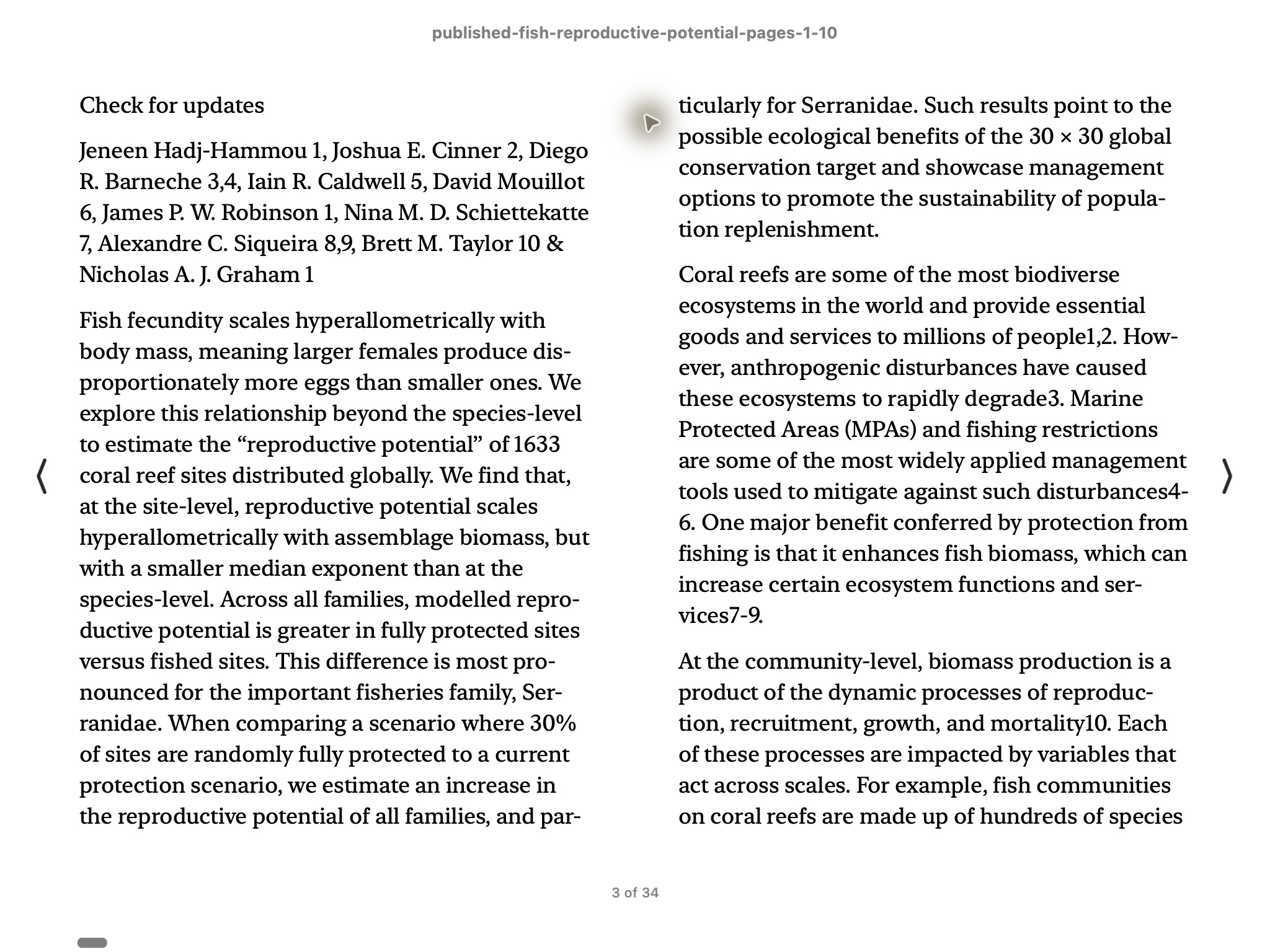
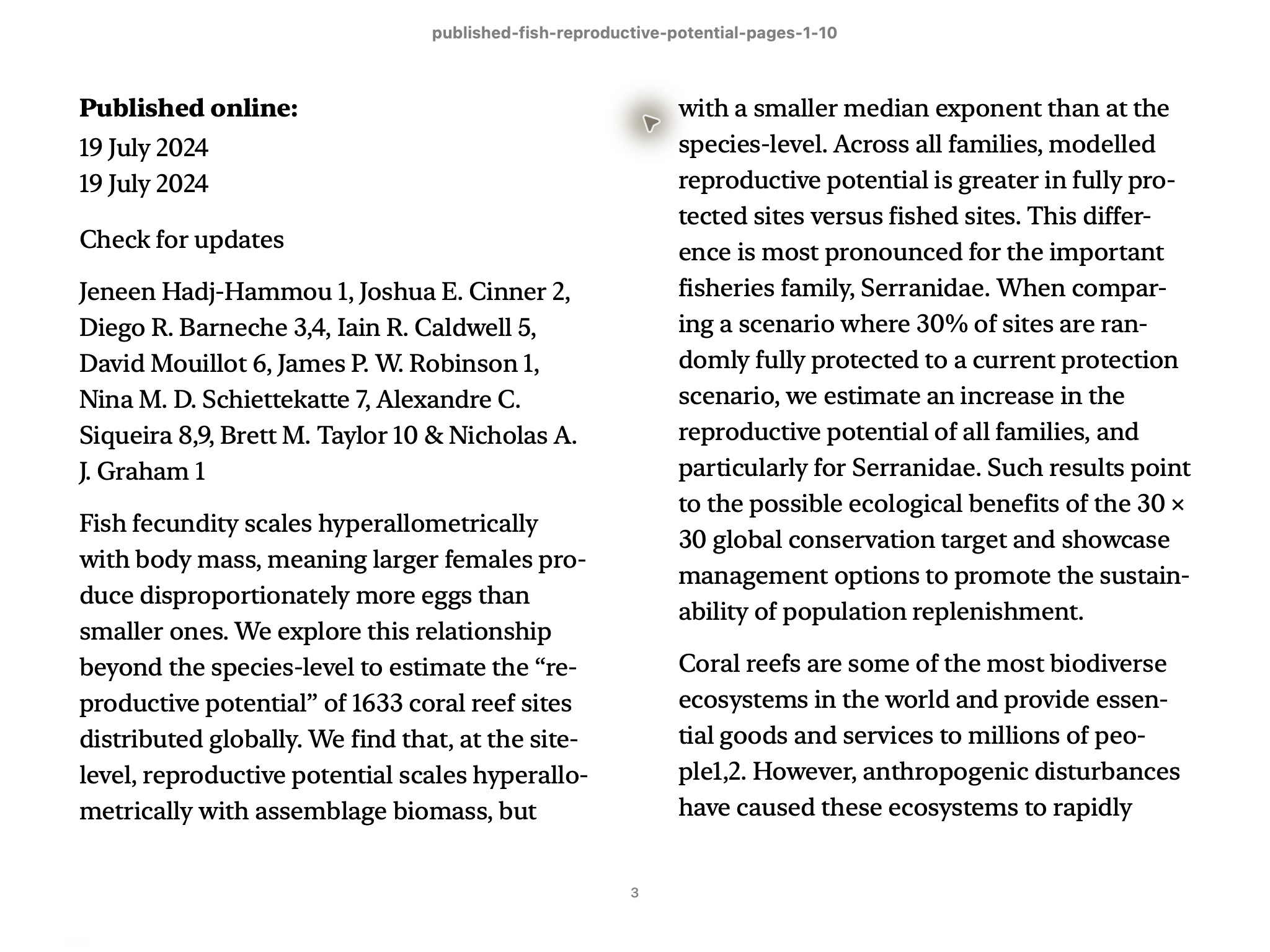
We opened the reviewed Nature Communications fish-paper export in Apple Books on Mac. One View > Increase Font Size action changed the abstract’s line breaks. Re-pagination initially moved to earlier content; moving right returned to the same abstract, and another move continued into the following text. The EPUB file itself was unchanged.
The research export required three equation-image corrections before the reviewed result was built and still clips lower plot labels. The screenshots demonstrate this paragraph’s native Mac reflow, not untouched conversion success or a complete book check. Compare the published source with the reviewed export.
Original text setting
After one font increase
6. Decide whether to convert more of your document
If the sample reads comfortably, check whether its coverage is enough. For full conversion, follow the sign-in and required credit confirmation shown by EPUBTurn. Review the current amount before approving the next stage.
Import the longer EPUB as a separate result and inspect newly included passages. Keep the original for precise figures and citation pages. For another concrete reading file, the unchanged NASA sample linked below retains inspected hardware labels and prose, with limited coverage and some list-layout differences.
Files used in this guide
Download the source files, conversion results or worksheets referenced here. Each label identifies the source document or the converter used.
Published research-paper PDF (pages 1–10)EPUBTurn reviewed result; three equation crops correctedEPUBTurn actual NASA sample: three selected pages