How to check tables when converting a PDF to EPUB
Create an EPUBTurn sample and inspect table row labels, units and values, keeping lists separate from structured table grids.
On this page
1. Record a complete row with its labels and units
Pick a real row from your PDF and record its row name, column heading, value and unit. Include a note marker or blank cell when present. Keeping the digits is not enough if a conversion loses their associations.
EPUBTurn creates an EPUB reading copy from an eligible PDF. Open the PDF upload after preparing the source. Keep both files so the original remains available for exact layouts and citations.
2. Choose the prepared PDF in EPUBTurn
Select Choose a PDF and choose your PDF with tables. Confirm the filename and displayed document. Read any current upload message before continuing. Eligible PDFs must fit the service’s limits: up to 200 MB, with full conversions up to 100 pages. A smaller authorised excerpt can be useful, but changing the filename does not change the document’s format or page count.
3. Create a sample and check its actual pages
Select Create free sample. Up to ten pages are selected automatically. Check the included page numbers against the passage you intended to inspect. For a PDF with tables, an easy introductory page cannot answer a difficult layout question elsewhere. If the required continuation or figure is missing, leave that feature unchecked instead of treating the sample as a complete-document result.

4. Prepare the sample EPUB download
Select Create sample download when the control is offered. Table inspection belongs in the saved reading file as well as the source PDF, so wait until the actual EPUB is ready. Read a reported failure before proceeding to a longer conversion. If the necessary table page was not selected, preparing the file does not fill that coverage gap. Keep its row checks unresolved until you can inspect the relevant page.
5. Read the selected passage beside its source
Choose Download sample EPUB and save the file. Open it in your reader; Apple Books on Mac supports File > Import.
Read one row as a complete relationship: its name, column heading, amount and unit. Repeat with a middle and final row, including an empty cell or note marker if available. A blank value must not shift the following numbers under the wrong heading. Inspect any unit or qualification applying to the whole grid, such as amounts reported in thousands. Decide whether the result remains a usable table or has become labelled records. A selectable list may support simple lookup, but a wide comparative matrix can lose its purpose when flattened. Keep the PDF for calculations or authoritative lookup whenever those relationships are unclear.
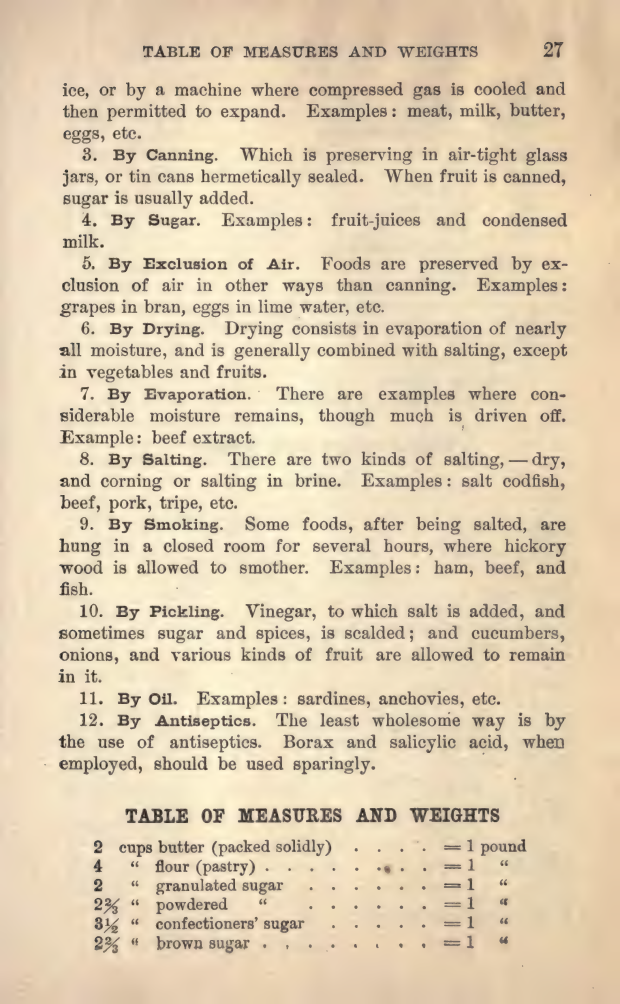
Original measurement table
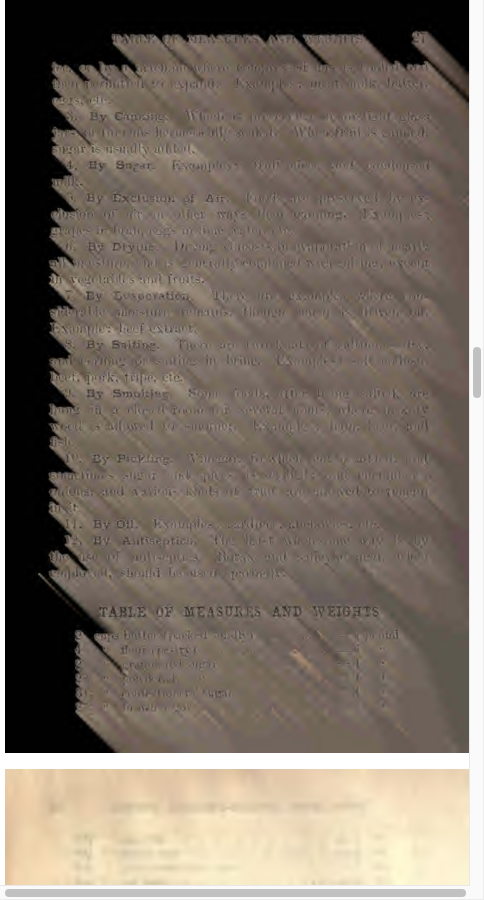
Calibre default output

What the actual example establishes
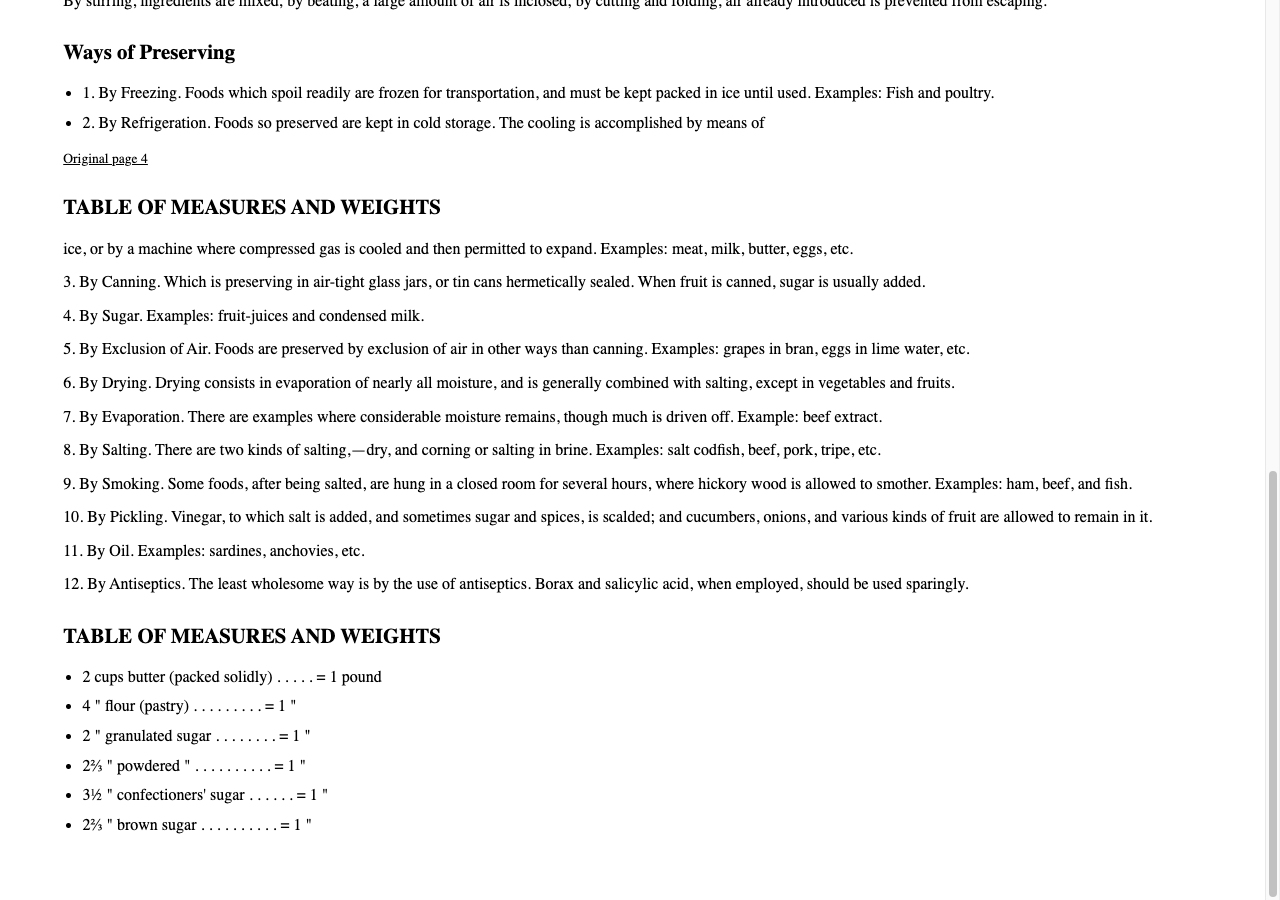
The actual cookbook measures EPUB retains the six checked measure relationships as selectable list text. It does not preserve an HTML table grid. Compare each label and amount with the historical cookbook excerpt before deciding whether a list is sufficient for your task. The sample covers pages two to four; the full nine-page cloud run stopped on cooking-time tables, so no complete cookbook success is claimed.
Create a PDF sample to check a complete row with its column labels and units.
Printed measurement rows
EPUBTurn sample
6. Confirm whether a longer conversion is useful
Before confirming an offered full conversion, read its actual page-credit requirement. Proceed when the sample supports the table lookup you need, not merely because its numbers are searchable. Check newly included tables after downloading the longer result. Preserve the original grid for any important value you cannot confidently associate with its heading.
Files used in this guide
Download the source files, conversion results or worksheets referenced here. Each label identifies the source document or the converter used.
1917 cookbook source: nine unchanged selected pagesEPUBTurn actual measures sample: source pages 2–4